D'CASTLE
ai-phone: A Local AI Phone Agent That Keeps Your Calls on Your Mac (How It Works and What It Costs)
There’s a phone call I keep putting off.
Something’s stuck in customs, and I need to call about it. I don’t want to, so I haven’t.
(It’s never a big deal once I actually dial. I know.)
Phone calls are just weirdly hard for me sometimes. So yes, I need this kind of thing.
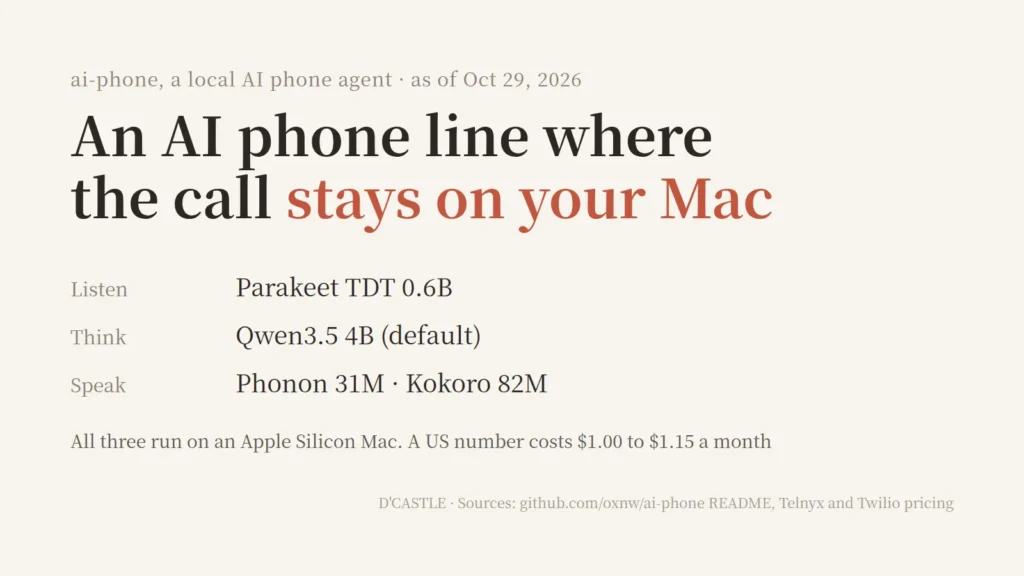
And now there’s an open source project that does that on a single Mac, not in someone’s cloud. It’s called ai-phone, and it went up on GitHub on October 27, 2026.
Small problem: I don’t have a Mac lol
I’ve got a Windows PC, an iPad, and a Galaxy phone. So this isn’t a hands-on review. It’s me reading the README and docs and laying out how it works and what it costs.
A Mac that answers and places real phone calls
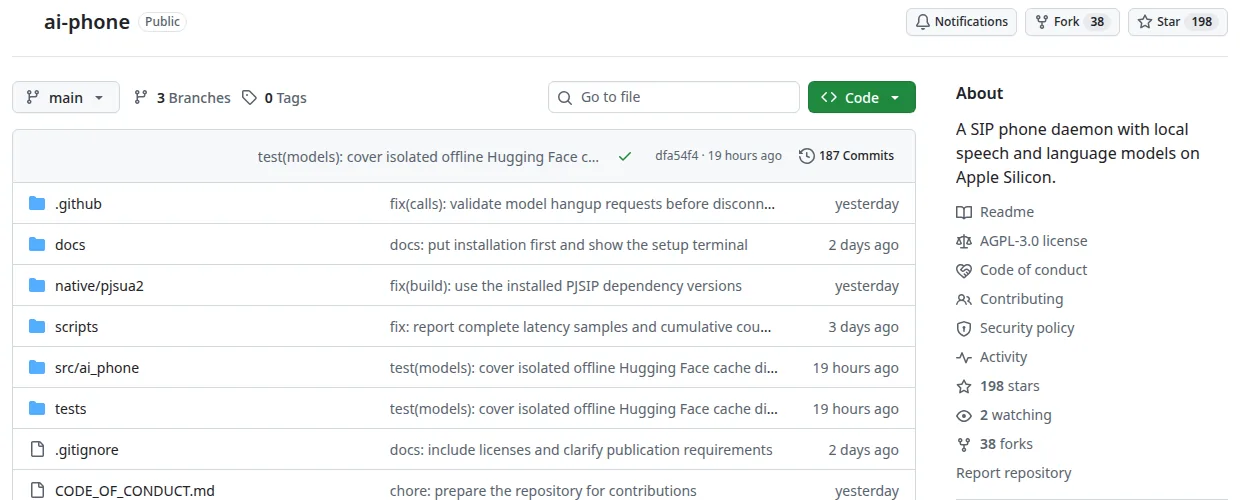
Source: github.com/oxnw/ai-phone (screen as of October 29, 2026)
The repo describes itself in one line: a SIP phone daemon with local speech and language models on Apple Silicon. Two days in, it had 198 stars on the October 29 screen.
SIP is the standard for doing phone calls over the internet, apparently. So the AI isn’t really “calling for you.” Well, more precisely, your Mac becomes a phone that has its own number, and the AI lives inside it.
It does two things.
- Answer: When someone calls, the AI picks up, greets them, and by default takes a message (name, number, what it’s about).
- Call out: You write the task in one command, the AI places the call, has the conversation, and hands you the transcript when it’s done.
The README’s example is basically “ask if they have a table for two at eight tonight.”
The limits are right there too. English only, one call at a time for now. The license is AGPL-3.0.
Listen, think, speak, all on the Mac
Here’s my take as a vibe coder with no CS background.
(If I got something wrong, please be gentle.)
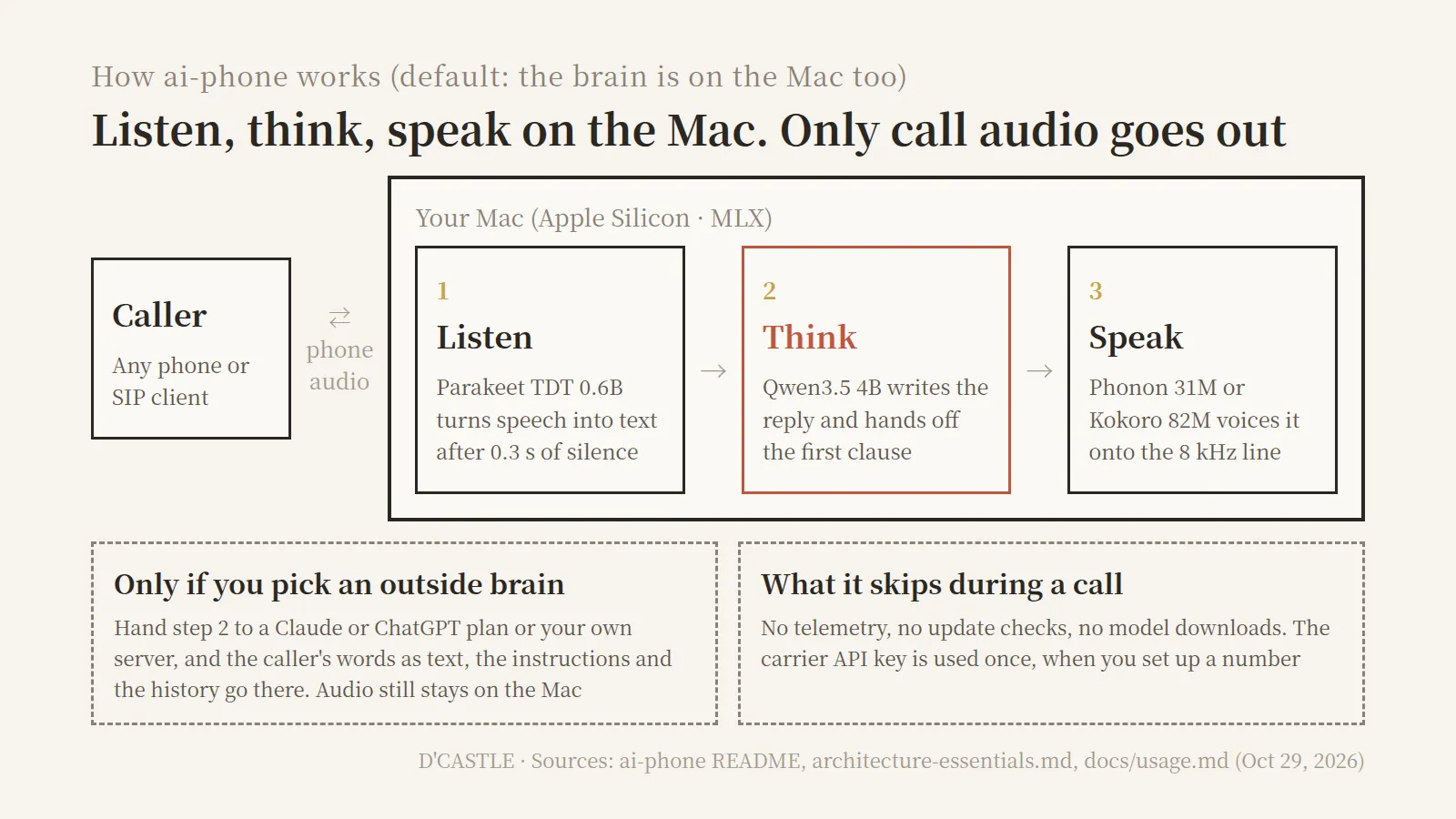
According to the docs, one turn goes like this.
- End of turn: When the caller stops and there’s 0.3 seconds of quiet, it decides they’re done.
- Listen: A speech recognition model called Parakeet TDT 0.6B turns their words into text.
- Think: The Qwen3.5 4B language model writes a reply. It doesn’t wait for the full sentence; the first clause gets passed along right away.
- Speak: Phonon 31M or Kokoro 82M turns that clause into audio.
- Onto the line: Audio handled at 16 kHz inside the Mac gets converted to the 8 kHz the phone network uses.
All three models run through MLX, Apple’s framework for its own chips. It’s like three interpreters crammed at one desk, passing a baton.
The September 3 run lists the stage times: 297 ms waiting to be sure the caller finished, 96 ms to transcribe, 312 ms to the first clause, 164 ms to the first chunk of voice, 9 ms to send.
Overall, 874 ms from the caller going quiet to the first AI sound (median).
It also handles interruptions. If the caller talks for more than 0.25 seconds, the AI stops mid-sentence, with a goal of stopping within 0.3 seconds.
So it’s not the kind of AI that just talks over you heh.
What leaves the Mac during a call, and what doesn’t
This is the part I was most curious about.
The architecture doc opens with six rules it says should never be broken. Rule one is about the network. During a call, the Mac talks to the outside world in exactly two ways.
- The phone connection itself (SIP/RTP): That’s the call audio. It’s a phone call, so of course this goes out.
- An outside brain, only if you chose one: If you hand the “think” step to Claude or ChatGPT, that one endpoint.
Beyond that, no telemetry, no update checks, no model downloads mid-call. The carrier API key is used once, when you set up a number.
Here’s how the brain options compare, per the usage doc.
| Brain | Time to first reply | Where the call text goes | What you need |
|---|---|---|---|
| This Mac (default) | 1.5 s (Oct 27 median) | Stays on the Mac | Local models downloaded |
| Claude subscription | 2.4 to 5.5 s first turn, about 1 s after | Anthropic | Claude Code installed and logged in |
| ChatGPT subscription | 3.9 to 4.4 s first turn, 1.1 to 1.9 s after | OpenAI | Codex installed and logged in |
| Your own server | Depends on the server | That server | An OpenAI-compatible URL |
Source: ai-phone docs/usage.md, “Brains and privacy” (as of October 29, 2026). Call audio travels over the phone line no matter which brain you pick.
The README puts it in one line.
Speech recognition and synthesis stay local.
Listening and speaking stay on the Mac whichever brain you choose. What can go to the cloud is text, not sound.
But if you pick a Claude or ChatGPT brain, the caller’s words as text, the call instructions, and the conversation history go to that company. The daemon tells you where things go when it starts.
The subscription brains don’t use an API key. ai-phone drives the CLI you’re already logged into, in an empty folder with every tool switched off. If the model reaches for a tool anyway, that turn and the session end.
Makes sense, since whatever the caller says becomes model input.
Honestly, I don’t think about this stuff much. I’m pretty numb to it.
My info is probably already scattered all over the world anyway.
Still, a call isn’t just my words. The other person’s words are in there too. I might not care, but someone on the other end might feel better knowing the default setup keeps it all on one Mac.
Response time, and the README admits it missed the target
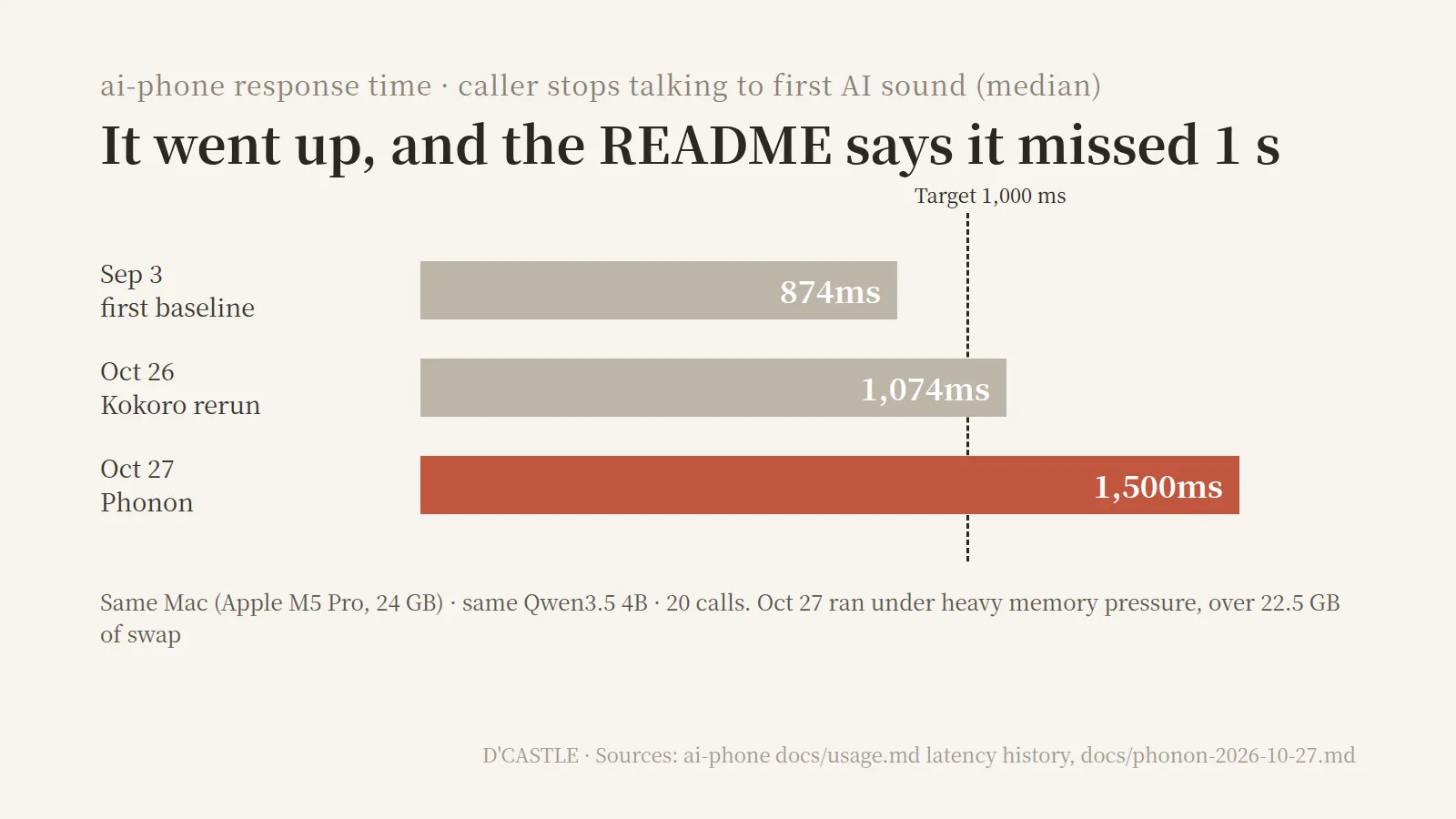
The median time to first sound changed from run to run.
- September 3: 874 ms. Under the 1-second target.
- October 26 (Kokoro voice): 1,074 ms.
- October 27 (Phonon voice): 1,500 ms.
Same Mac every time (an M5 Pro with 24 GB of RAM), same 4B model.
The docs say the Mac was under heavy memory pressure during the October 27 run. Swap was over 22.5 GB and free RAM hovered around 300 MB.
They don’t claim that’s the cause, though. They just note the background load.
Interruptions slipped a little too. In September the median stop was 219 ms, inside the 300 ms limit. On October 27, four of five interruptions stopped in time, and one took 396 ms.
The README says, in plain words, that the latest run missed the one-second target. The conditions and earlier results are all linked.
To me, having the conditions written next to the number is what makes 1.5 seconds readable.
Some checks are still open. Install, local calls, and interruption tests have run, but end-to-end checks on a live carrier line are still pending. It’s a two-day-old project, after all.
The ground rules, starting with “I’m an AI”
Since this thing makes real calls, a few rules are baked in.
- AI disclosure: Every outgoing call opens with “Hi, this is an AI assistant calling.” The default greeting on incoming calls says it’s an AI assistant too.
- No emergency numbers: It refuses 13 emergency numbers like 911, 999, 112, and 119, plus anything that looks like one, such as extension 100.
- Daily cap: You can limit outgoing calls per day. The default of 0 means no limit.
- Silence and length: After 8 seconds of silence it asks “Still there?”, and after 8 more it hangs up. A call maxes out at 10 minutes.
- One call at a time: Even with several lines, a second incoming call gets a busy signal.
There’s also relay mode, where an agent like Claude Code or Codex runs the conversation itself. You start with call --relay, then say to talk, listen to hear, and hangup to end.
If the agent is slow to think, ai-phone fills the gap with “One moment.” and after 25 seconds with no reply, it apologizes and hangs up.
What you need to try it
If you do have a Mac, here’s the list.
- Mac: macOS on Apple Silicon only. Intel Macs, Linux, and Windows aren’t supported yet.
- RAM: 16 GB recommended for the default 4B model, 32 GB for 9B. There’s a smaller 2B model for 8 GB Macs. Setup picks based on your RAM.
- Disk: A few GB for models. The 4B is 3.1 GB, the 9B is 6.0 GB.
- Tools: Git, Homebrew, uv.
Install is four lines, per the README.
git clone https://github.com/oxnw/ai-phone.git
cd ai-phone
./scripts/install.sh
uv run ai-phone setup
The setup wizard asks whether you want to receive calls, place them, or both, then sets up the model, line, and voice. After that, uv run ai-phone run starts it.
It doesn’t install as a background service. To receive calls, you leave it running.
You can try it for free before buying a number. Pick “A SIP address” in setup, keep the name agent, and call it from the same Mac with pjsua --local-port 5070 sip:[email protected].
There are five ways to hook up a real number.
- Buy a new number from Telnyx or Twilio
- Connect a number already on one of those accounts
- Forward your own mobile number to it (setup prints the
**61*code) - Use a plain SIP address so agents can call each other, no carrier
- Bring your own SIP trunk
What it costs: about a dollar a month for the number
ai-phone itself is free and open source. The costs are the phone number and call minutes.
- Telnyx: US local number, $1.00 a month (+$0.10 if you want SMS). I couldn’t confirm per-minute rates.
- Twilio: US local number, $1.15 a month. For calls within the US, $0.014 per minute outbound and $0.0085 per minute inbound.
I ran a few monthly scenarios on Twilio.
| Monthly use | Cost |
|---|---|
| Number only | $1.15 |
| Number + 30 min inbound | $1.405 |
| Number + 30 min outbound | $1.57 |
| Number + 30 min outbound + 30 min inbound | $1.825 |
Based on Twilio’s US pricing page, assuming a US number calling within the US. Doesn’t include the Mac, electricity, or any subscription.
So the number alone is about a buck fifteen a month.
(Let’s all politely ignore the price of the Mac.)
A Claude or ChatGPT brain runs inside your plan’s limits, not on per-request API billing. It does spend one tiny turn of your plan each time ai-phone starts, to check the login.
If you’re outside the US, check your own country’s number rules. In Korea, for example, Twilio says local, national, and toll-free numbers need a business registration, so individuals can’t get them.
Where that leaves someone with a Windows PC and a Galaxy
No Mac, so I can’t try it. Kind of a bummer.
Going through my three devices one by one. 🤔
- Windows PC: Not supported. Linux is on the roadmap, but Windows doesn’t show up there. The speech models run on Apple’s MLX, so another OS would need a whole different speech setup.
- iPad: The README talks about macOS, so as far as I can tell an iPad doesn’t count.
- Galaxy phone: This one’s fine. The platform requirement only applies to the computer running ai-phone. The person calling can use any phone.
So if someone ran ai-phone on a Mac, I could call it from my Galaxy. I just can’t hand off my own calls to it.
And the customs call I keep dodging? It’s in Korean.
Even if I had a Mac, it only speaks English right now, so the customs call is still mine to make and I’m still putting it off.
It’s a phone where the ears, the brain, and the mouth all sit on one Mac on your desk.
I’m someone who could actually use this, so watching from the sidelines stings a little. But because the project lays out exactly where call data goes in a single table, even someone without a Mac can follow how it all fits together.
If you’ve got a Mac and you’re a fellow call-dodger, skip buying a number at first and run the free local test.
Just seeing how many seconds your own Mac takes to reply will tell you a lot about whether it’s worth it.